Scrolling screen capture
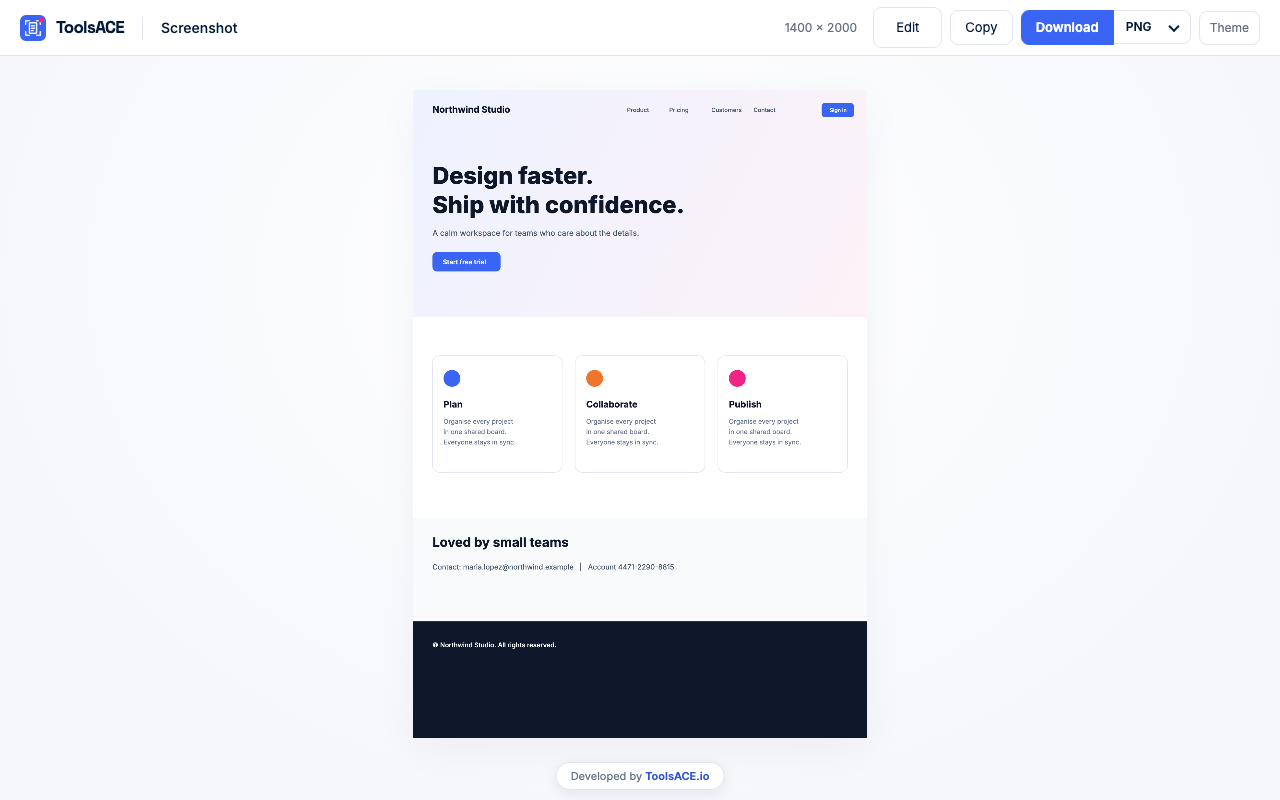
Scrolls the page screen by screen and stitches one tall image. Content that loads while scrolling is included.

Take a full page screenshot or scrolling screen capture in one click, then crop, blur and annotate it in a built-in editor. Save as PNG, JPG, WebP or PDF. A free Chrome extension that runs entirely in your browser.
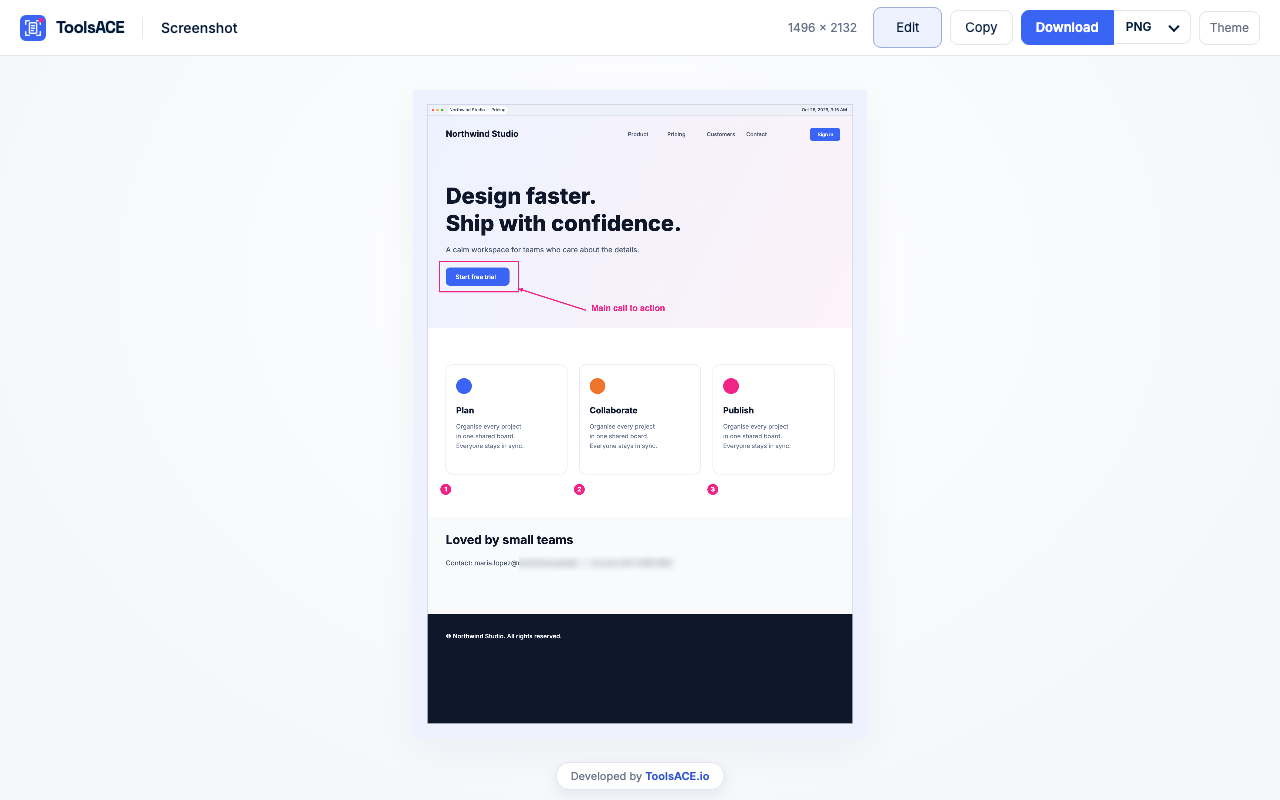
How it works
A long article, a web app, a pricing page. Anything you can scroll.
Or press Alt+Shift+S. The page is scrolled and stitched into one image for you.
Your full page screenshot opens in a new tab. Copy it, or download PNG, JPG, WebP or PDF.
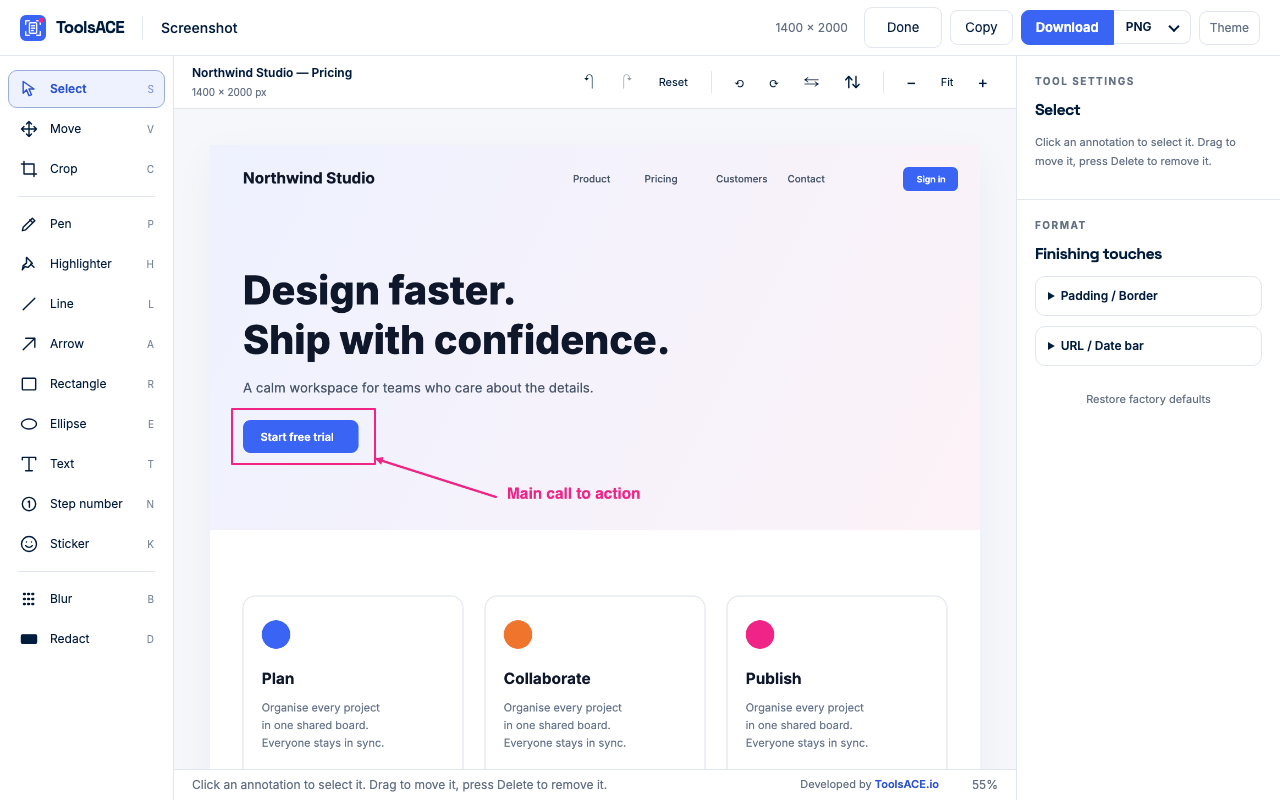
Crop, blur private details, add arrows and text, then export. All free.
Features
Scrolls the page screen by screen and stitches one tall image. Content that loads while scrolling is included.
Pages where an inner panel scrolls, not the page itself, are captured top to bottom.
Right-click the icon for visible-area, select-area and delayed capture, handy for menus and hover states.
Copy to the clipboard or download as PNG, JPG, WebP or a paginated A4 PDF.
Crop, rotate, pen, highlighter, arrows, shapes, text, numbered steps, stickers, blur and redact.
Everything happens on your device. No account, no upload, no analytics, no tracking.
Screenshots
Private by design
We have no servers to send them to. The page is captured and stitched inside your own browser, and the image is deleted from extension storage the moment the preview opens.
The page you open
Scrolled and captured
Your browser
Stitched and edited here
Your device
PNG, JPG, WebP, PDF or clipboard
No ToolsACE server in this path. No analytics, no tracking, no account, no watermark.
Who it is for
Capture the whole page, circle the problem with an arrow, blur private data and attach it.
Numbered steps and text labels turn a long page into a clear how-to image.
Share an entire page in one image instead of a dozen screenshots stitched by hand.
Keep a whole web page as one image or a PDF: receipts, articles, confirmations.
Why not do it by hand
| Topic | By hand | Full Page Screenshot |
|---|---|---|
| Long pages | Many screenshots, stitched by hand | One click, one tall image |
| Hiding private details | Open a separate image editor | Blur or solid redact in the same tab |
| Saving as PDF | Print dialog and page breaks | Download a paginated A4 PDF |
| Cost and sign-up | Often a paid plan or a watermark | Free, no account, no watermark |
| Where your capture goes | Often uploaded to a server | Stays on your device |
Launching soon
Version 1.1.0. Works in Chrome 116 or newer.
Soon. It is being submitted to the Chrome Web Store. Message us on WhatsApp and we will tell you the moment it is live.
Open the page, click the extension icon (or press Alt+Shift+S). It scrolls the page, stitches the result into one image and opens a preview where you can copy, download or edit it.
Yes. It is free, with no account, no watermark and no limit on the number of captures.
Yes. After capturing, choose PDF in the format menu and download. Pages are A4 and contain images, not selectable text.
Yes. On app-style sites where the page itself does not scroll, it captures the main scrolling panel from top to bottom.
Yes. Use Blur or the solid Redact tool in the editor. Use Redact for anything sensitive: blur is only a visual effect.
No. Captures never leave your device. The image is deleted from extension storage as soon as the preview opens.
Chrome’s own pages (chrome://, New Tab, the Web Store), PDFs and local files. Endless feeds and virtualized lists are captured only as far as the page scrolls. Very long pages on high-DPI screens are captured at slightly reduced resolution instead of failing.
Chrome 116 or newer on a computer. It also works in Microsoft Edge.
Read the privacy policy. Built by ToolsACE.